
Text during your conversation
Start transcription from your session. Pause and resume whenever you need.
Let the conversation become text while you focus on the session.
Start transcription from your session. Pause and resume whenever you need.
Speech recognition runs locally in your browser. Conversation audio is not sent to an AI cloud service for this.
Review the text and edit it if needed. Save the transcript as a text file, Word document or PDF, or share it by email.
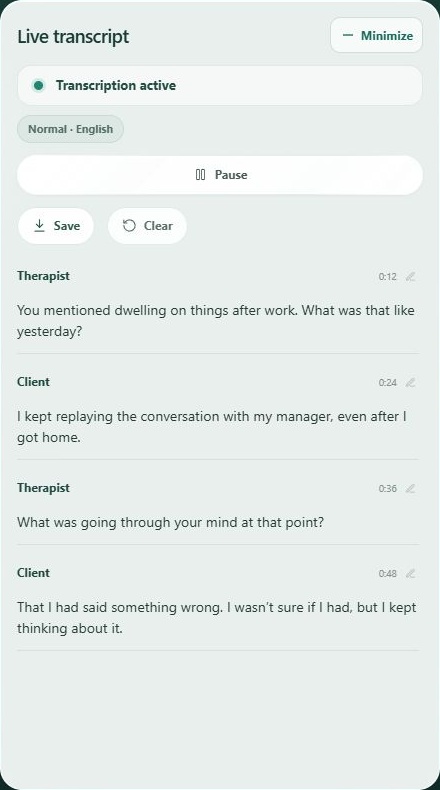
Open transcription during your session and start it when you choose. You can pause or stop it; participants see a notice while transcription is active.
AI turns audio into text locally on your own device. The required models download on first use. Your conversation is therefore processed locally rather than sent to an AI cloud service.
Yes. You can review the transcript and edit the text before saving or sharing it.
You can save a file on your own device. Email sharing temporarily stores the file on Canvasara and sends the recipient a secure access link.